How to add a course
Adding courses is designed for administrators for the preparation of teachers content lessons and activities.
Here’s the steps on how to add a course:
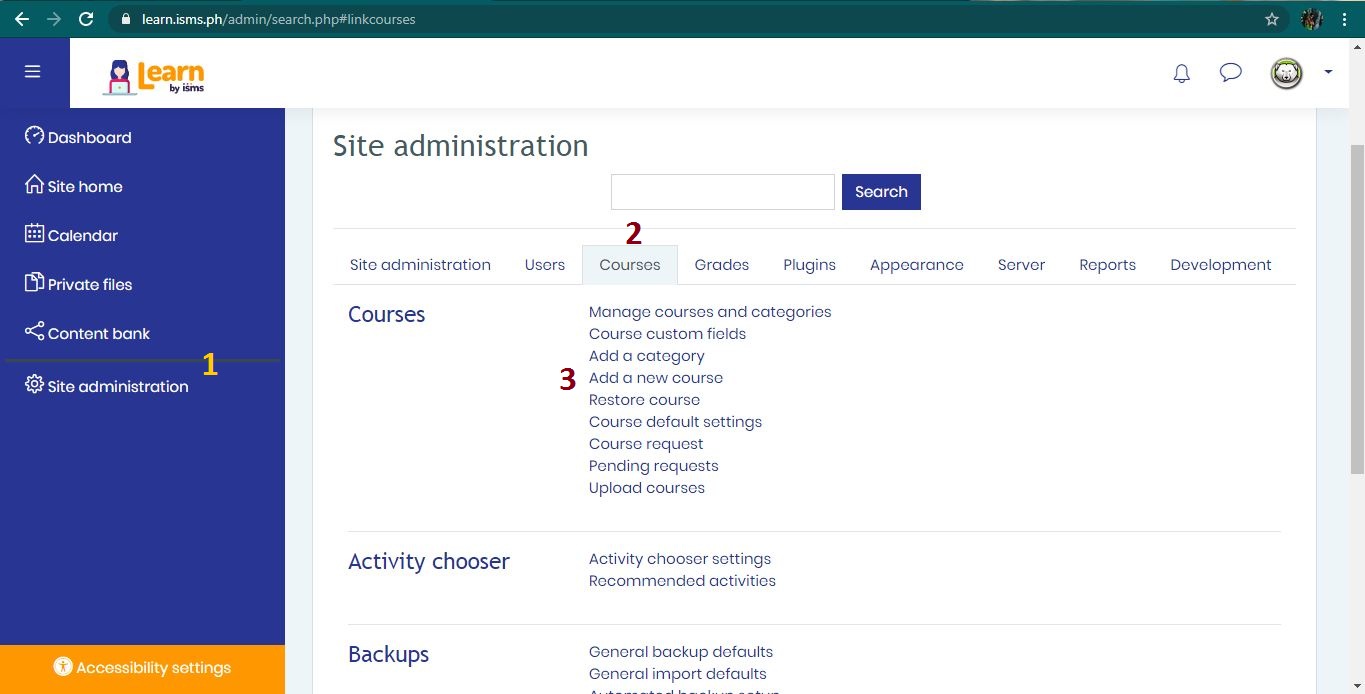
- In site administration, click Course tab on the right side pane.
- Select Add a new course
- Give some details in the add course form.
- Then click the saved button below.
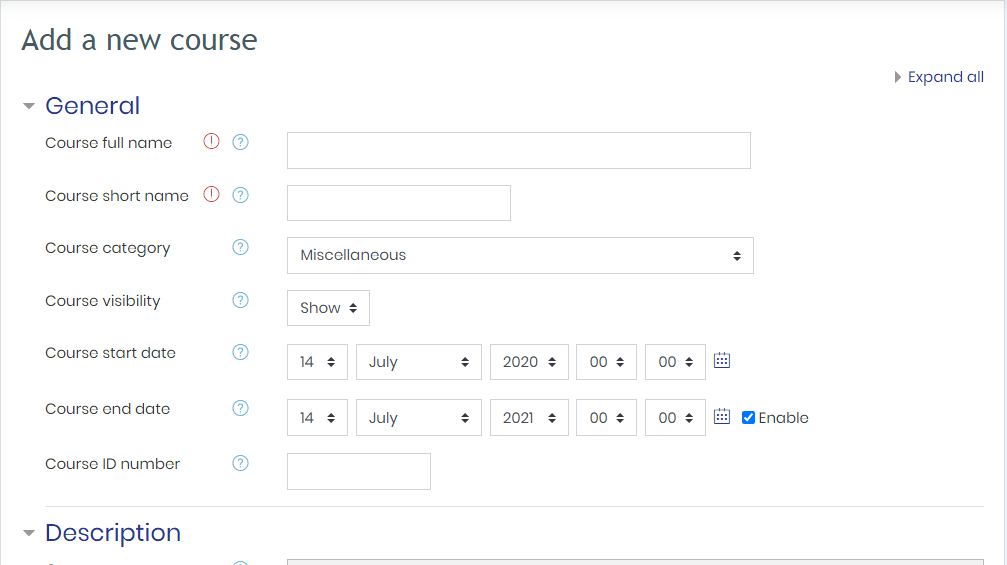
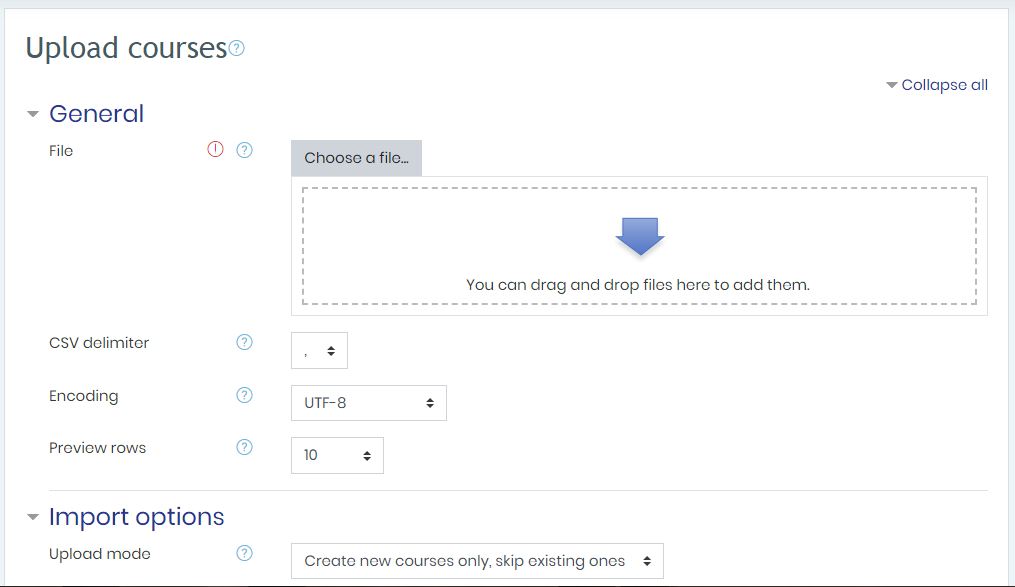
Please note that some fields are marked with red and is therefore required. There is also an option wherein you can upload courses that is being prepared before. Just select the upload course option above and see this image below for the form to be opened and follow the file format upload file.