Adding users
Users role is essential in the system, thus adding them properly is vital. System administrators are incharge of adding system users.
Steps in adding users
Assuming you have an admin rights for adding users.
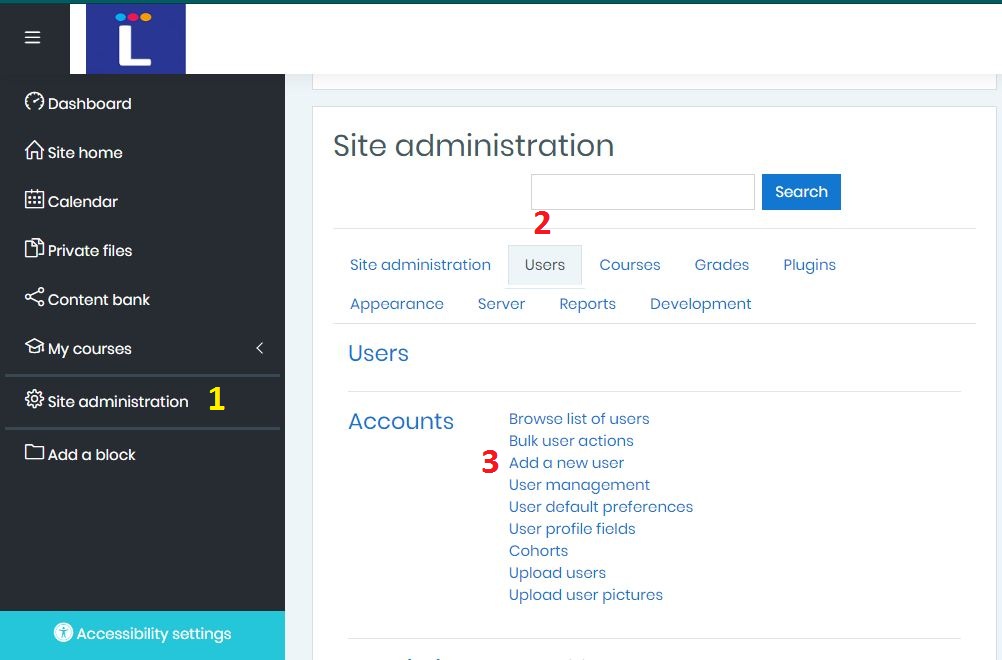
- In the main page, click Site administration
- Select Users tab
- Under Accounts pane click > Add a new user
- Enter necessary details in the new user General window
- Then click Create user at the bottom.