
How to use the announcements feature
One of the keys to your course running smoothly will be communication. we at ISMS recognizes this, and our Learn LMS has the announcements feature to help you keep students updated and informed.
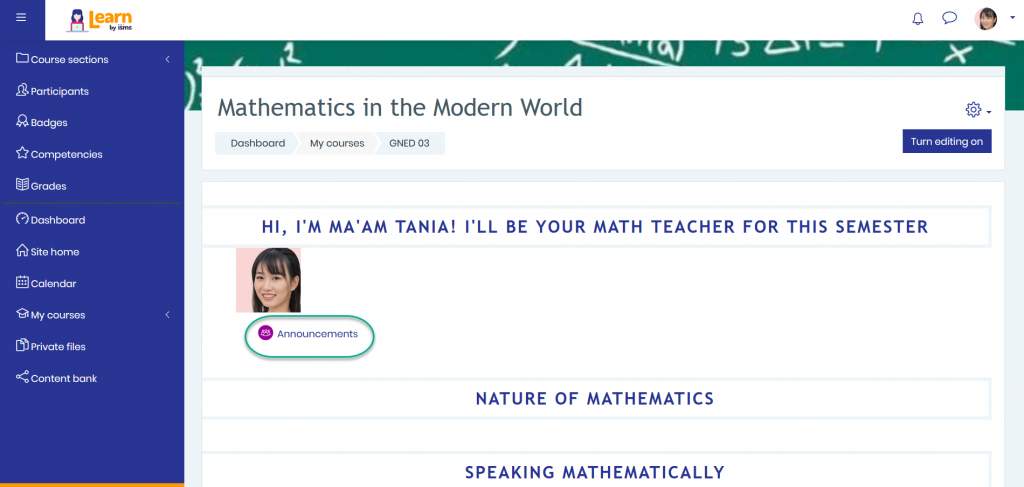
Now, earlier we discussed how to customize the different sections of your course. And one of these at the very top was the introduction section. At the bottom of the section we can see the announcement feature.
This feature provides an easy way to communicate with your entire class on your school’s Learn LMS.
I’m going to go ahead and add an announcement to remind students about how to contact me, the teacher.
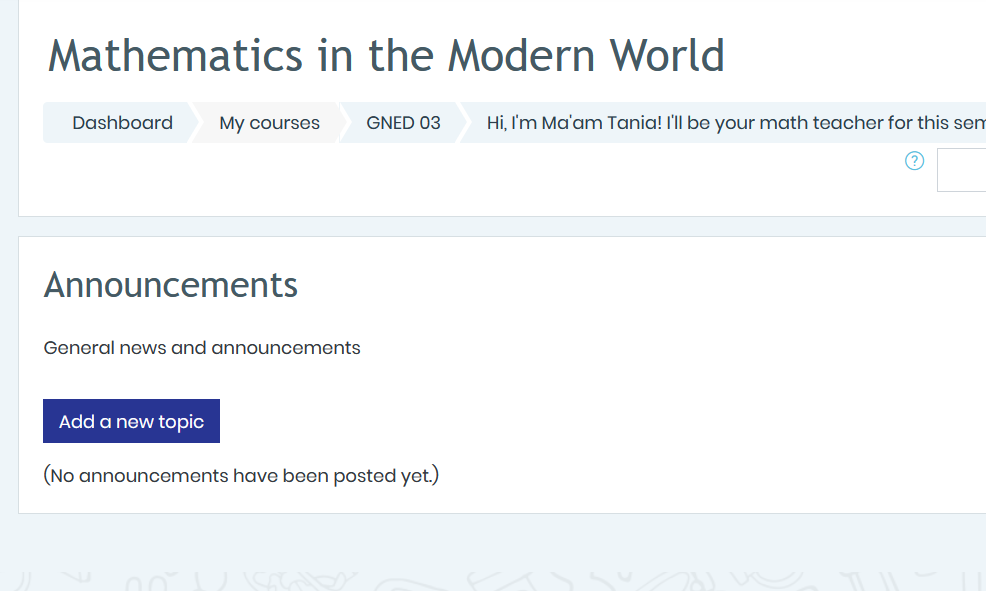
So what I’ll do is to click on this announcements link. When I do that you’ll see here that we do not yet have any announcements.
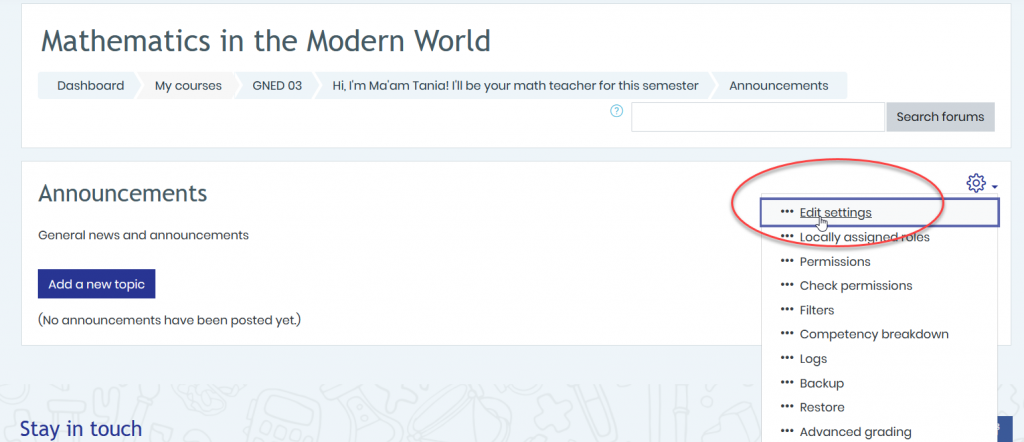
The first thing I’m going to do is go over to the gear icon and click edit settings.
Now, in here we could change the name of this form if we wanted. I’m going to keep mine as announcements. We could change the description if we want, but I like the default description. We can display this description on the course page, which I’m actually going to do.
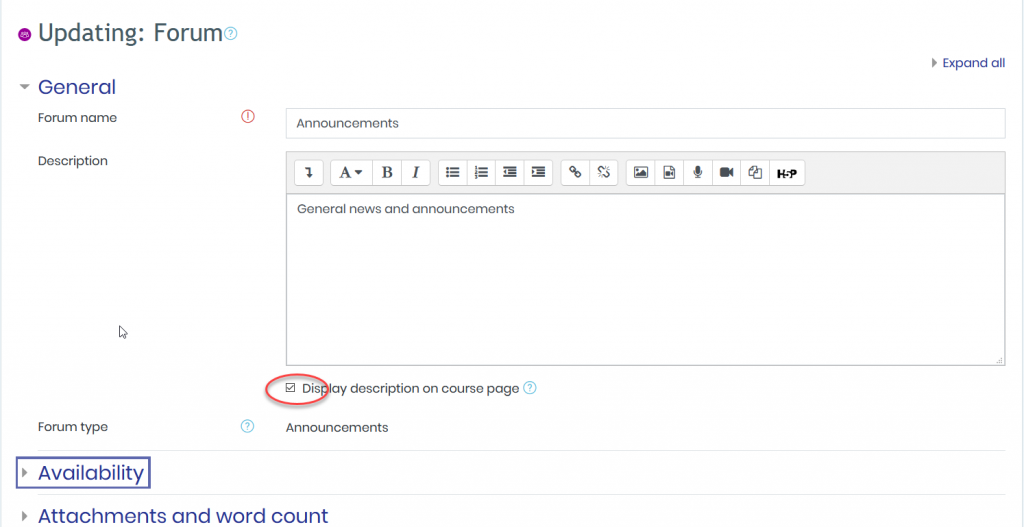
And then decide on availability. We can attach things and more. When I have that entered, I’ll click on save and return to course.
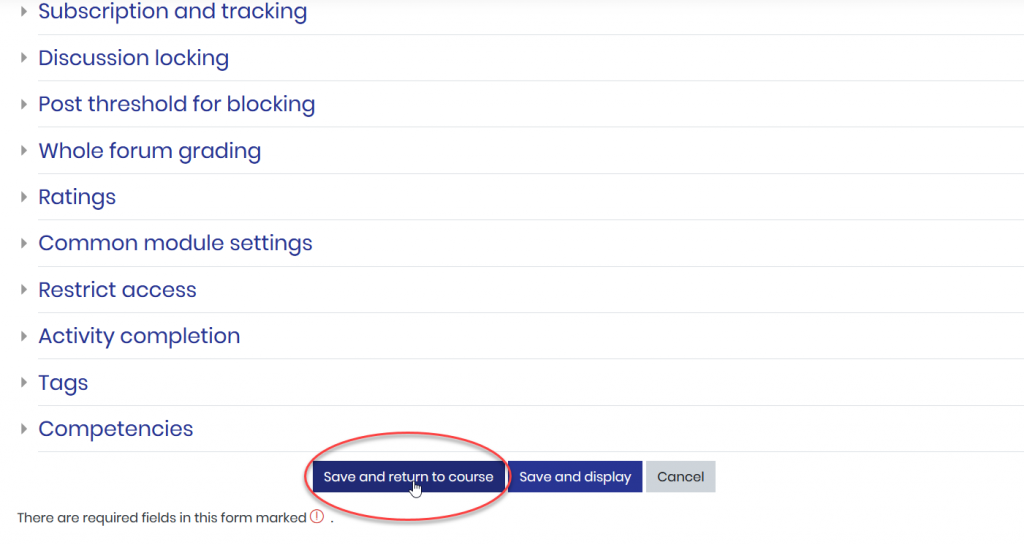
And I’ve now updated that announcement section,
But I still want to add an announcement. So I’ll click here on that announcement section. And then click on add a new topic.
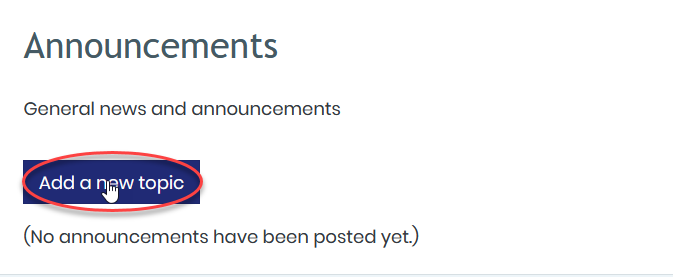
I’m going to title this, “How to contact Ma’am Tania”. Then I’m going to paste a message down here that I’ve already typed out.
It’s letting them know how they can contact me, which is through the learning management system. But if it’s down for any reason, I give them my name on facebook. I also let them know that I’ll respond to all communication as quickly as possible, but definitely within 24 hours.
I think giving an announcement like this at the beginning of your course is a great way to inform your students, so that they know how to reach out and contact you.
When I’m done I’ll click on post to forum.

And now you’ll see that if I click on announcements, that we do have this “How to contact Ma’am Tania”.
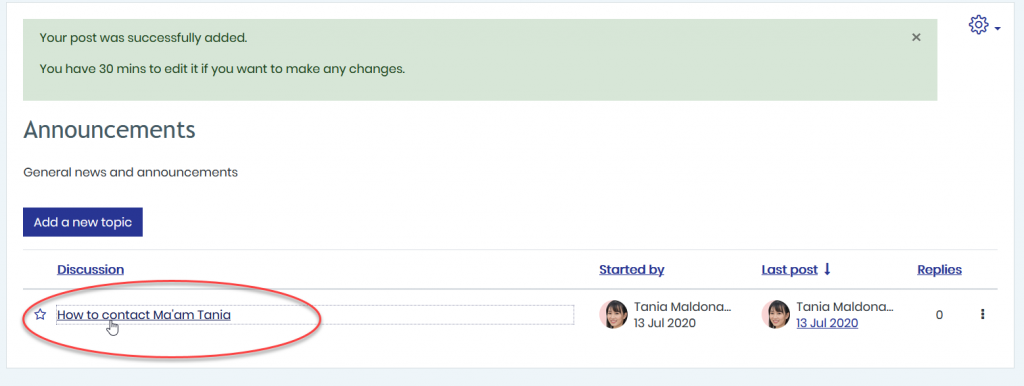
And if I click on it, it gives the students that information. Now, when students access the course, they can click on that announcement link and be notified of any important announcements.

I strongly suggest utilizing this feature to keep your class updated on different events, deadlines, announcements regarding assignments, and any other important things related to your course.
However, make sure to keep your announcements short, so you don’t overwhelm your students.