
How to customize your course structure
Let’s take a look at how to customize the structure of our course. In other words how it will be divided up and organized. This is an important step because it determines the layout and flow of your course.
Right now I can see that my course is broken up into weeks and the date is given here for each week.
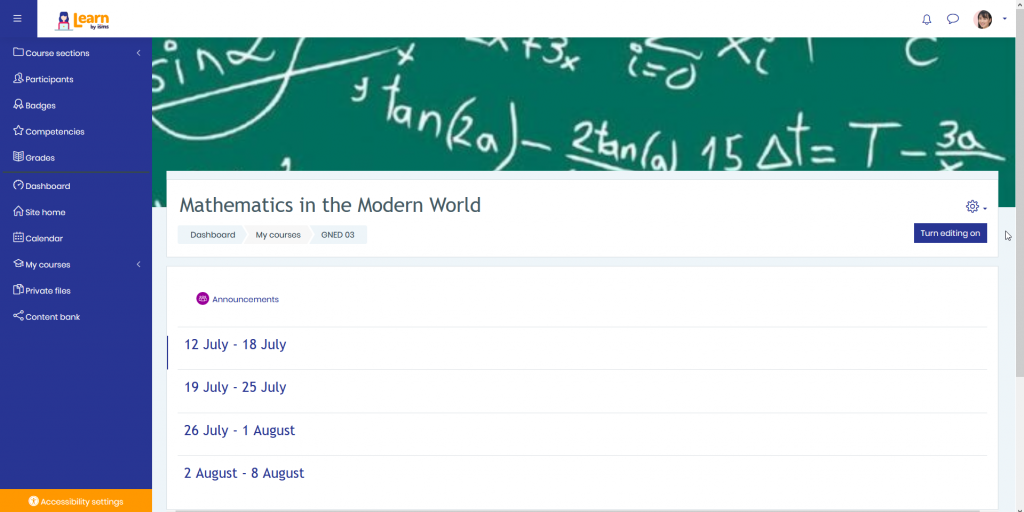
For my course however I want to change this to be units instead of weeks.
I’ll switch over to a syllabus that I have, Mathematics in the Modern World.

You’ll notice down here that I have several different modules or units that I want to teach. Nature of Mathematics, Speaking Mathematically and so on. There are four of them in all.
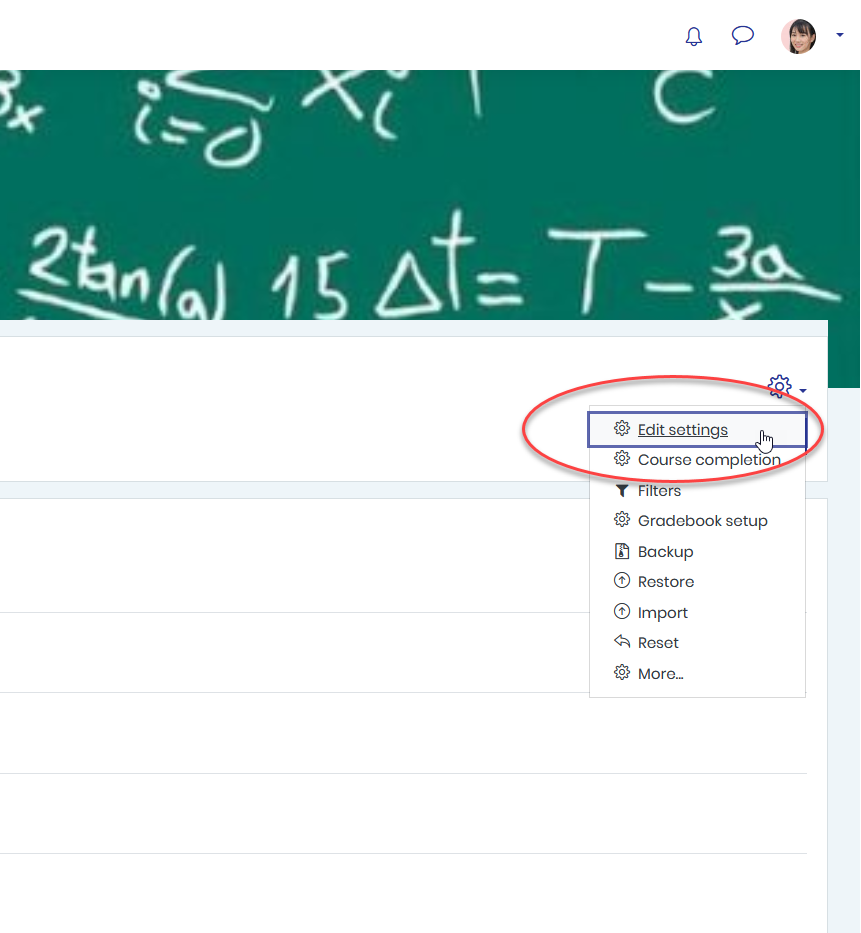
So, I’m going to switch back over to the Learn LMS platform and in the upper right corner of my course dashboard I’m going to click on the gear icon and from here select Edit Settings.
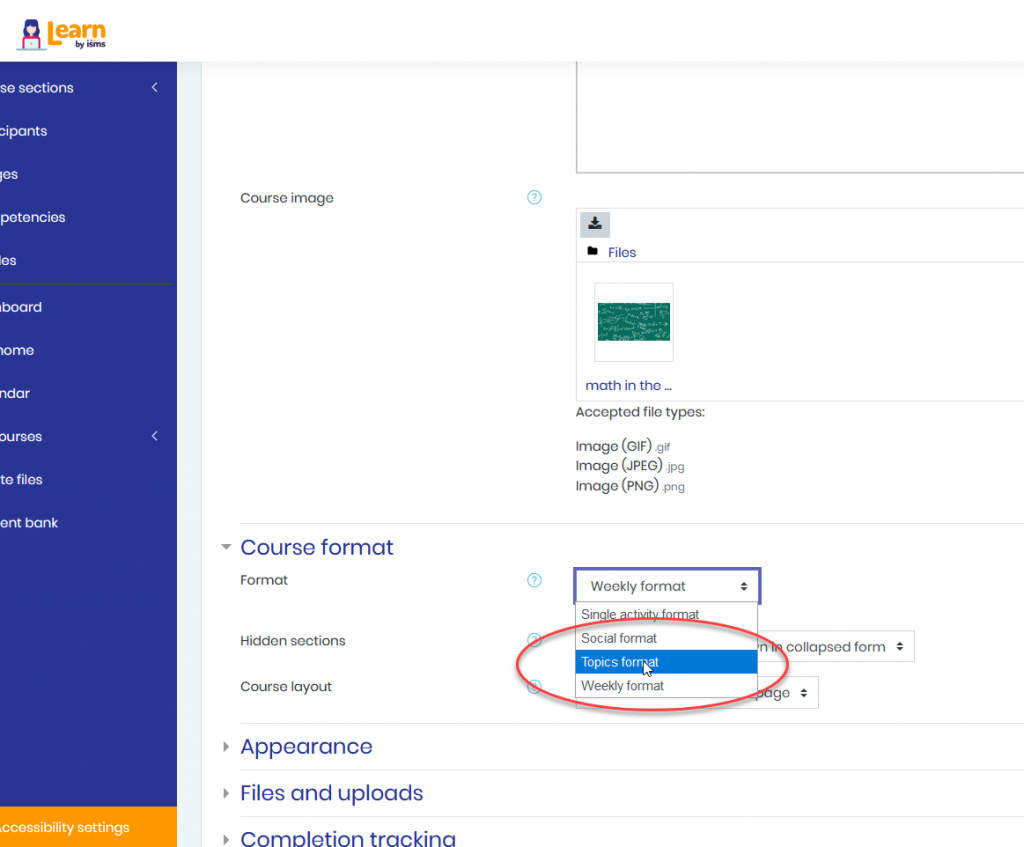
The first thing I want to do is scroll down to a setting titled Course Format. When I click on this we can see that it was set at the weekly format by default but I’m going to change this to a topics format and this will allow me to customize that.
Now, once I have that in there I’m going to go down and click on Save and Return and it brings us back to our page.

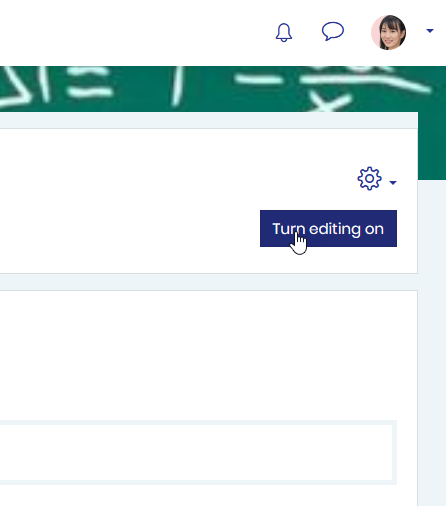
Now, from here I’m going to click turn editing on.
Once I do this I can click on the pencil icon and then go ahead and name these different units that I have.
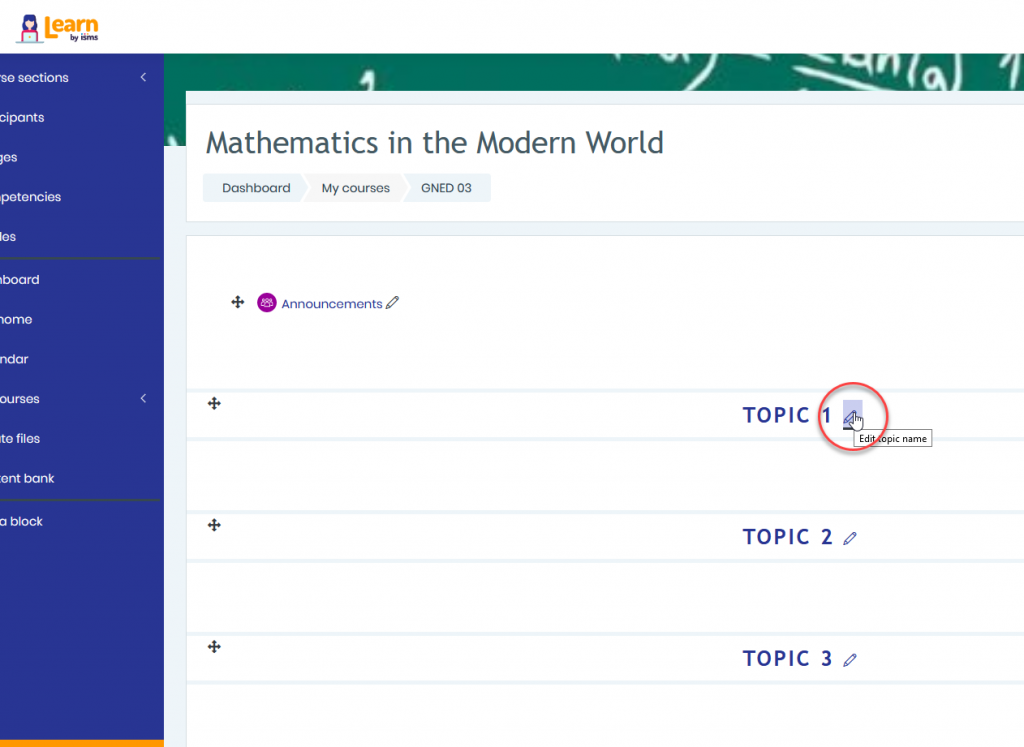
I’ll click here on this pencil icon and type in Nature of Mathematics and when you’re done you hit Enter and it changes it to the Nature of Mathematics unit.
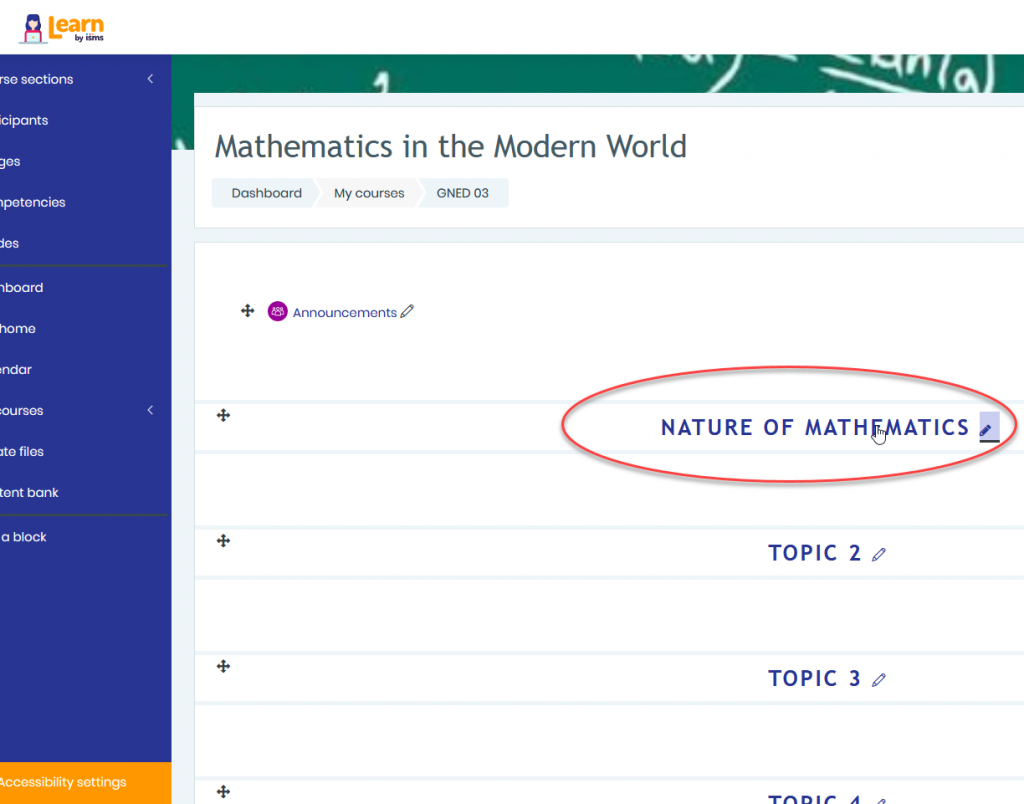
Notice here that I have one, two, three, four current sections
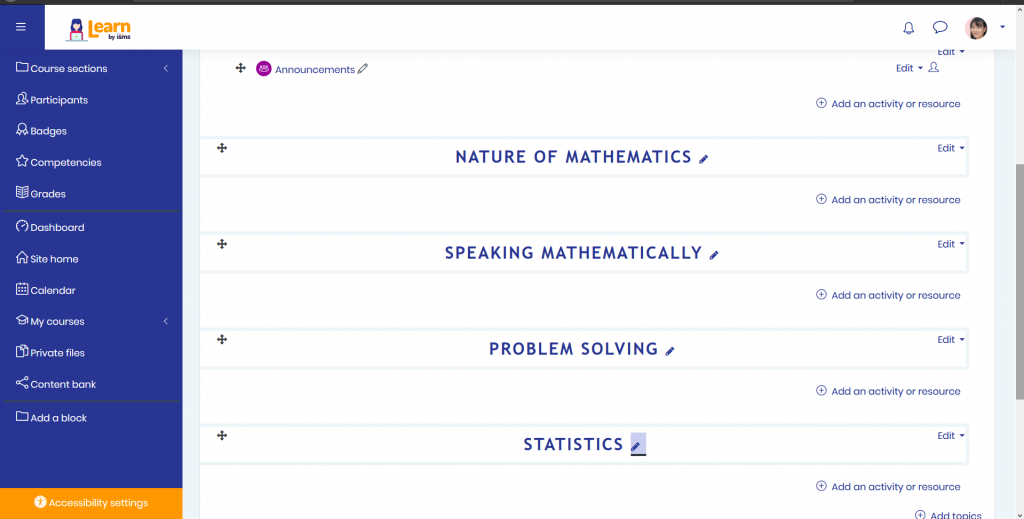
But if you’re going to need five or more according to your syllabus. That’s not a problem.
Down at the bottom here we can click on Add Topics. I’ll click on that
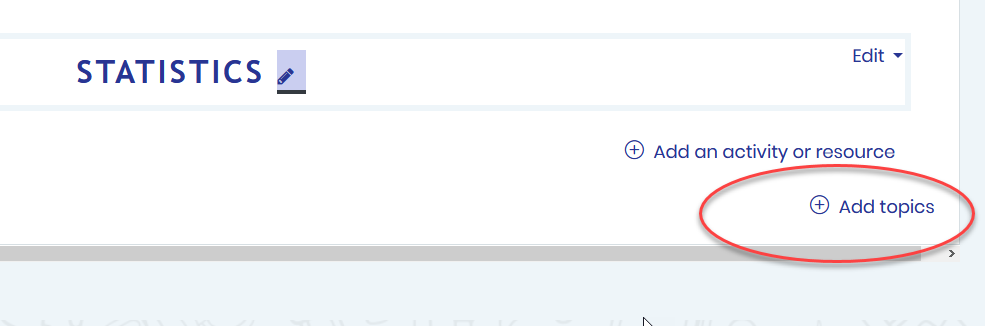
and I want to add two more sections.

So, we’ll add those and you can see down here we have topic five and six.

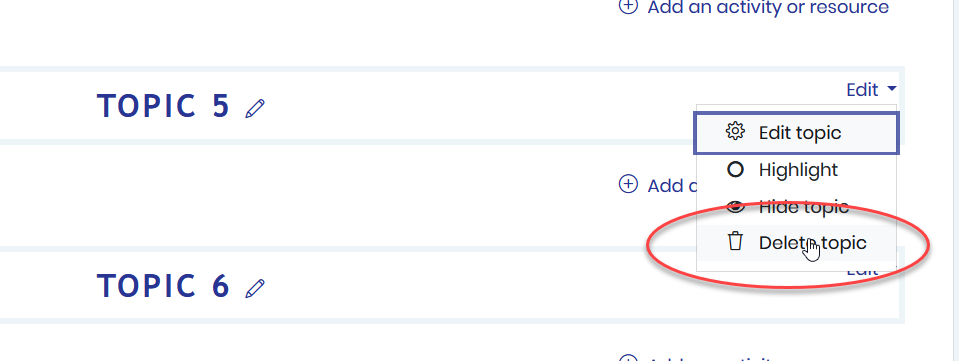
But since I only have four units, I’ll delete these by going to the edit menu and click delete topic
And just like that I’ve now customized the course home page by dividing up my course into the format that I need. You can see here that I have my four different units or modules that I’ve entered in here.
